
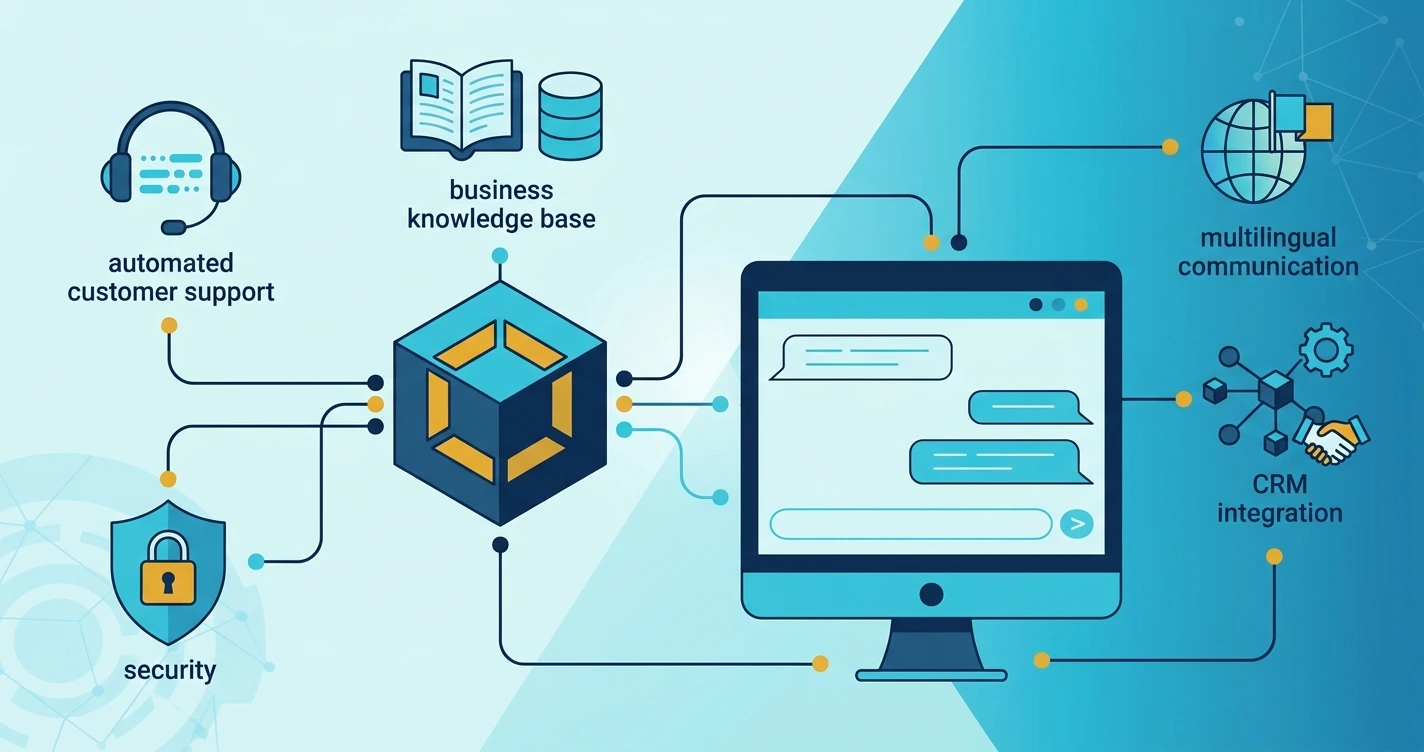
An AI chatbot can help your business answer customer questions, collect inquiries and provide support directly through your website. However, choosing the right features is important. Too many unnecessary features can make a chatbot complicated, while missing essential features can reduce its usefulness.
The best AI chatbot features for small business websites focus on real customer needs. These include automated responses, lead collection, business information, multilingual support and human assistance.
In this guide, you will learn which features matter most, how they work and what to consider before adding a chatbot to your website.
1. Automated Customer Question Answering
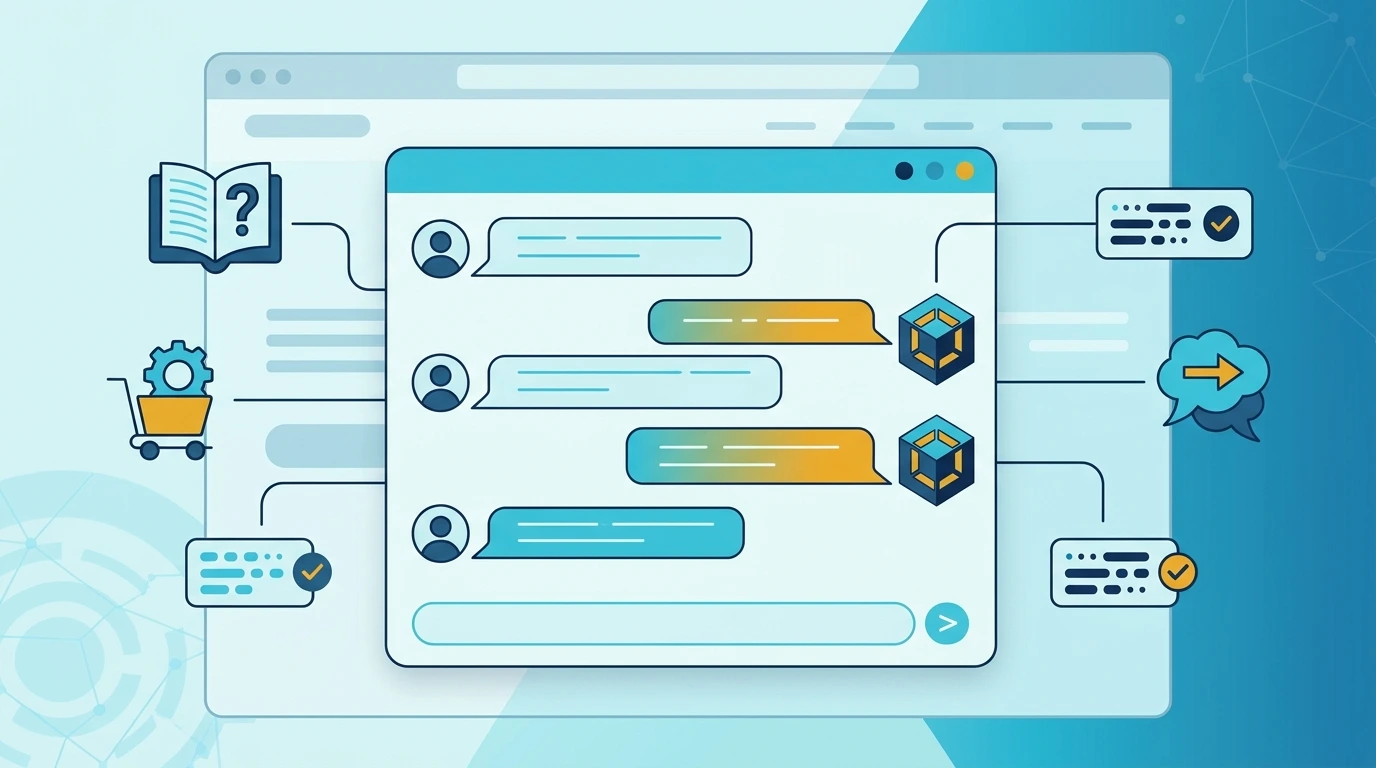
Automated question answering is one of the most useful features of an AI chatbot.
Customers often visit business websites with similar questions. They may want to know about services, business hours, product details, delivery options or contact information.
An AI chatbot can answer these questions using the information provided by your business.
For example, a visitor might ask:
- What services do you offer?
- Do you provide website development?
- How can I contact your team?
- What information do you need to start a project?
The chatbot can understand the questions and provide relevant responses.
Why is this feature important?
Small businesses may not have employees available to answer every website inquiry.
Automated responses help visitors find basic information without waiting for someone to reply.
However, the chatbot should only provide information that it can support. If it does not know an answer, it should explain its limitations and offer a way to contact a real person.
2. Business Knowledge Base Integration
A general AI model does not automatically know your company's services, products, policies or internal procedures.
A knowledge base allows you to provide business-specific information so the chatbot can answer questions more accurately.
You can prepare information such as:
- Business introduction.
- Service descriptions.
- Product information.
- Frequently asked questions.
- Contact details.
- Business hours.
- Customer support instructions.
How does a knowledge base work?
The chatbot uses your approved business information when responding to relevant questions.
For example, a software company could upload information about its ERP, CRM, POS and website development services.
When a visitor asks about a particular service, the chatbot can use the available information to explain it.
For larger collections of documents, developers may use retrieval-augmented generation (RAG). This method retrieves relevant information from a knowledge source before generating an answer.
Keep your knowledge base updated. Outdated information can lead to confusing or incorrect responses.
3. Lead Generation and Customer Inquiry Collection
A website visitor may be interested in your services but not ready to make a phone call.
A chatbot can make it easier for that visitor to submit an inquiry directly through a conversation.
This is especially useful for service-based businesses, software companies, agencies and consultants.
What information can a chatbot collect?
Depending on your requirements, it can ask for:
- Customer name.
- Email address.
- Contact number.
- Required service.
- Project description.
- Preferred contact method.
For example, someone interested in a business website could explain their requirements through the chatbot.
The chatbot can collect the information and send it to an authorized business email address or CRM system.
Make lead collection simple
Avoid asking too many questions at once.
Start with the essential details and let visitors explain their requirements naturally.
Always explain why information is being collected and avoid requesting unnecessary personal details.
4. Multilingual Chat Support
Not every customer prefers communicating in English.
A multilingual chatbot can help businesses communicate with visitors who speak different languages.
This feature can be useful for businesses serving customers across different countries and language communities.
For example, a business may want to support English, Urdu, Arabic or Sindhi conversations.
What should you consider?
Before enabling multiple languages, check:
- Whether the selected AI model supports your required languages.
- Whether it understands regional expressions.
- Whether it can handle mixed-language messages.
- Whether its responses are clear and accurate.
- Whether your business information is available in those languages.
Language support should be tested with real questions rather than assumed from a model's general capabilities.
For example, Sindhi AI is an area where multilingual communication and language-specific assistance can be useful. You can explore Sindhi AI to learn about this type of AI application.
[ADD MY OWN EXAMPLE HERE]
5. Human Support Handover
AI chatbots are useful, but they cannot handle every customer situation.
Some visitors may have complicated questions, technical problems or requests that require personal attention.
A human support handover feature allows the chatbot to direct these conversations to a real person.
How does human handover work?
A simple process looks like this:
- A visitor starts a conversation with the chatbot.
- The chatbot answers common questions.
- The visitor asks something that requires additional assistance.
- The chatbot offers human support.
- The conversation or inquiry is forwarded to the support team.
Depending on the system, this can happen through a live chat dashboard, email notification or CRM integration.
Why does this feature matter?
Human handover helps prevent visitors from becoming stuck in automated conversations.
It also gives your support team an opportunity to handle situations where personal judgment is important.
6. Conversation History and CRM Integration
Conversation history allows your business to review previous chatbot interactions.
This can help support employees understand what a customer asked before contacting the team.
For example, if a visitor previously discussed a website development project, your sales team can review the inquiry instead of asking the customer to explain everything again.
Benefits of conversation history
- Review previous customer questions.
- Understand common support problems.
- Identify unanswered questions.
- Improve chatbot responses.
- Support customer follow-ups.
Connect your chatbot with a CRM
A CRM system helps businesses organize customer information, inquiries and follow-up activities.
When connected to a chatbot, it can automatically send approved customer details to the CRM.
For example, a new service inquiry could create a customer lead for the sales team.
This reduces manual data entry and makes customer communication easier to manage.
Explore CRM software development if your business needs a system for managing customer information and sales activities.
7. Website Integration and Mobile-Friendly Chat
A chatbot should work smoothly with your existing website.
Visitors should be able to open the chat window, type a message and receive a response without facing technical problems.
Important website integration features
Look for these capabilities:
- Easy website widget installation.
- Compatibility with your website technology.
- Responsive chat interface.
- Secure backend communication.
- Conversation loading indicators.
- Error messages when services are unavailable.
- Support for multiple website pages.
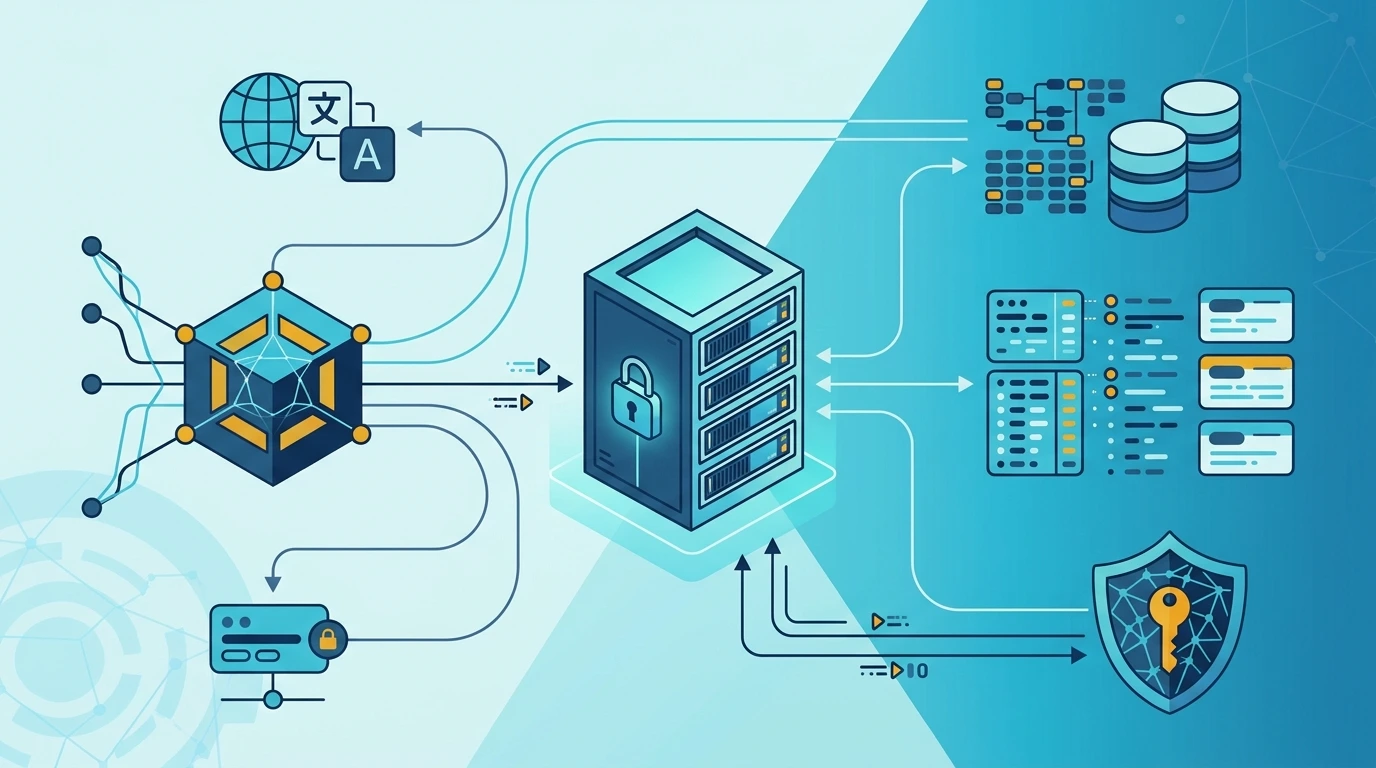
For example, a PHP or Laravel website can connect to an AI chatbot through a backend API.
The website sends the visitor's message to the backend. The backend communicates with the AI service and returns the response to the chat interface.
Mobile-friendly design
Many visitors access business websites through mobile devices.
Your chatbot should have:
- A readable conversation window.
- Clear message input controls.
- Easy-to-use buttons.
- Proper spacing.
- A visible close option.
- Responsive layouts for different screen sizes.
Test the chatbot on different screen sizes before launching it.
8. Security, Privacy and Usage Controls
Security is an important part of any business chatbot.
Your chatbot may process customer messages, contact information and business documents. These details should be handled carefully.
Essential security features
Secure API key storage: Keep private AI API credentials on the server. Never expose them in public JavaScript files.
Input validation: Validate messages and other submitted information before processing them.
Access controls: Restrict access to conversation records and business information to authorized users.
Data management: Decide what conversation information needs to be stored and when it should be deleted.
Usage limits: Apply suitable request limits to reduce spam, misuse and unexpected API consumption.
Error handling: Prevent technical errors from exposing sensitive system information.
You should also review the privacy and data handling policies of any external AI provider you use.
9. Which AI Chatbot Features Should You Build First?
You do not need every feature when launching your first chatbot.
The best approach is to begin with a small set of useful capabilities and add advanced functionality when your business needs it.
Recommended starting features
For most small business websites, consider starting with:
- Automated question answering.
- Business knowledge base.
- Customer inquiry collection.
- Human support handover.
- Mobile-friendly chat interface.
- Basic conversation history.
- Secure API integration.
Once these features work properly, you can consider multilingual support, CRM integration, advanced analytics and automated business workflows.
If you need a chatbot designed around your website and business processes, explore AI chatbot development services.
Key Takeaways
- Automated question answering helps visitors find business information quickly.
- A knowledge base provides business-specific information to the chatbot.
- Lead generation helps collect customer inquiries through conversations.
- Multilingual support can help businesses communicate with different audiences.
- Human handover is important when automated answers are not enough.
- CRM integration and conversation history improve customer management.
- Security and mobile-friendly design should be included from the beginning.
FAQ
1. What are the most important AI chatbot features for small businesses?
The most important features include automated question answering, business knowledge base integration, lead collection, human support handover and mobile-friendly design. These features help visitors find information and contact your business. Start with the capabilities that solve your most common customer communication problems.
2. Can an AI chatbot collect customer leads?
Yes. An AI chatbot can ask visitors for basic contact details and information about their requirements. With the right integration, this information can be stored in a database or sent to a CRM system. Make sure visitors understand why their information is being collected.
3. Should a small business chatbot support multiple languages?
Multilingual support can be valuable if your customers communicate in different languages. However, you should test the chatbot's language understanding and response quality before enabling additional languages. Start with the languages your customers actually use and expand when needed.
4. Can an AI chatbot connect with a CRM system?
Yes. A custom AI chatbot can connect with a CRM through APIs or other supported integration methods. It can send customer inquiries, contact information and conversation details to the CRM. The exact capabilities depend on your chatbot architecture and CRM system.
5. Does an AI chatbot need human support?
Human support is still important because AI chatbots may misunderstand questions or encounter situations they cannot handle. A human handover feature allows visitors to request personal assistance. Combining automation with human support can make customer communication more flexible and reliable.
Choosing the right chatbot features can improve how visitors interact with your business website. If you want to build a practical AI chatbot with the features your business needs, contact ABZ Solutions to discuss your project.